
Receipt Template
Fake Itemized Receipt Generator
Create an itemized receipt with per-line quantities, descriptions, and prices. Totals and tax calculate live; export PNG, PDF, or JPEG for expense reports.
Edit This Itemized Receipt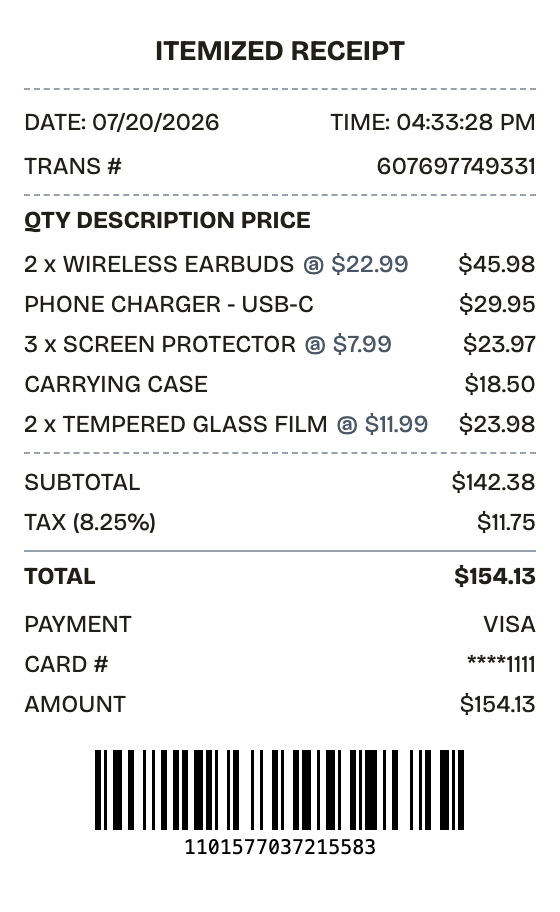
Features
One Minute From Blank to Itemized Receipt
The columns align, the totals add up, and the type matches a register — automatically.
Drag & Drop Builder
Add as many line items as the purchase needs — each row carries its own quantity, description, and price.
Real-time Preview
Adjust a quantity and the line total, subtotal, and tax follow immediately.
Multiple Export Formats
PDF for the audit trail, JPEG for expense-report uploads, PNG for everything else.
Custom Styling
Vendor block, column header, transaction number — tune every part until the breakdown reads clean.
Barcode & QR Support
A generated Code128 barcode sits at the bottom; swap it for a QR code or your own value.
Paper Styles
Thermal for a store-floor look, white when the itemization is going into paperwork.
How it works
Building a Itemized Receipt Takes About a Minute
Most people finish their first receipt inside two minutes
- 01
Load the format
- 02
Swap in your purchase
- 03
Download and done
Use cases
Who Reaches for a Itemized Receipt
From lost paperwork to prop-making, the usual suspects
Expense Reports
Document business expenses for company reimbursement
Tax Documentation
Keep organized records for tax filing and deductions
Client Invoicing
Create professional receipts for client billing
Proof of Purchase
Generate records for warranties and returns
Budget Tracking
Monitor spending with organized receipt records
Reimbursements
Submit clear expense documentation for refunds
FAQ
The Itemized Receipt, Answered
Answers to the questions that come up most
Is ReceiptPronto free to use?
Yes. You can build and customize receipts for free with no sign-up required. Watermark-free exports and saved receipts are available with Pro.
Is it legal to make a fake receipt?
Yes, when "fake" means a mockup: recreating your own lost purchase records, building props for film or design work, or generating test data. Using a generated receipt to deceive a business, employer, or agency is fraud and is prohibited under our Acceptable Use Policy.
Related
If This Is Close but Not Quite
Sales Receipt
Itemized retail sales receipt with tax and card payment
Cash Receipt
Signed cash payment receipt for payer and payee

Convenience Store Receipt
Corner store receipt with itemized purchases, tax, and barcode

Walmart Receipt
Walmart-style register receipt with transaction codes, an EFT debit block, and dual barcodes. Every line is editable, including your own logo.

Grocery Receipt
Supermarket register tape with items, savings, and loyalty points