
Receipt Template
Fake Uber Receipt Generator
Build an Uber-style ride receipt with fare breakdown, driver name, and route. Every line is editable. Export as PNG, JPG, or PDF in about a minute.
Open the Uber Receipt Builder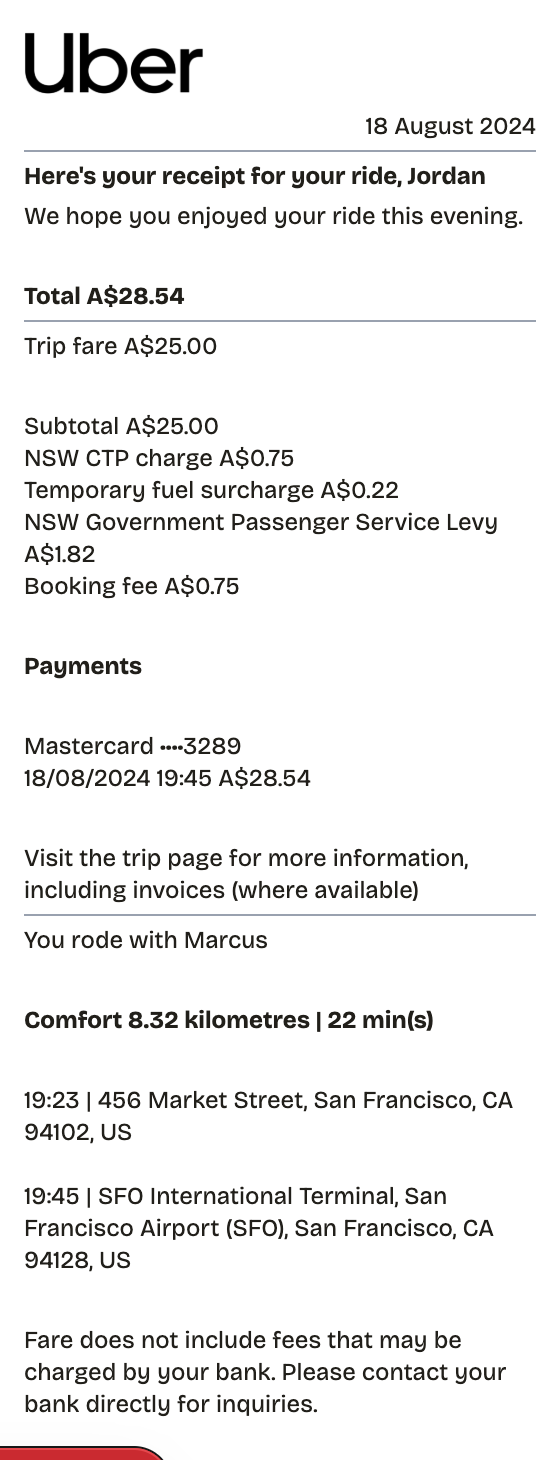
Features
One Minute From Blank to Uber Receipt
Everything on the receipt is a field you can change, from the logo down to the barcode digits.
Section-Based Editing
Reorder trip details, fare lines, payments, and route info by dragging sections into place.
Live Preview
Every edit to the fare, driver name, or route shows up in the receipt instantly.
PNG, PDF, and JPEG Export
Export a PNG for expense tools, a PDF for reimbursement paperwork, or a JPEG to send fast.
Every Line Editable
Change the fare, surcharges, levy lines, card number, timestamps, and addresses to match a real trip.
QR Code Option
Drop in a QR code that points to a trip page or any URL you choose.
Paper Styles
White paper matches the email-style Uber format; thermal works if you want a printed look.
How it works
The Fast Route to a Uber Receipt
No account, no install, no learning curve
- 01
Open this layout
- 02
Type over the details
- 03
Take the file
Use cases
Jobs This Template Does
The scenarios this format handles best
Expense Reports
Document business expenses for company reimbursement
Tax Documentation
Keep organized records for tax filing and deductions
Client Invoicing
Create professional receipts for client billing
Proof of Purchase
Generate records for warranties and returns
Budget Tracking
Monitor spending with organized receipt records
Reimbursements
Submit clear expense documentation for refunds
FAQ
Before You Ask
The short version of everything uber receipt related
Is ReceiptPronto free to use?
Yes. You can build and customize receipts for free with no sign-up required. Watermark-free exports and saved receipts are available with Pro.
Is it legal to make a fake receipt?
Yes, when "fake" means a mockup: recreating your own lost purchase records, building props for film or design work, or generating test data. Using a generated receipt to deceive a business, employer, or agency is fraud and is prohibited under our Acceptable Use Policy.
Related
Other Receipts Worth a Look
Taxi Receipt
Metered cab receipt with itemized fare breakdown
Car Rental Receipt
Rental receipt covering vehicle, dates, mileage, and fees

Airline Receipt
E-ticket style receipt with flights, fare lines, and a QR code

Walmart Receipt
Walmart-style register receipt with transaction codes, an EFT debit block, and dual barcodes. Every line is editable, including your own logo.

Target Receipt
Target-style register receipt with DPCI item codes, split tax rates, and a Circle savings footer. Every line is editable, logo included.